The brief#
Chia Network is the company Bram Cohen founded after he invented BitTorrent. Its reference wallet runs on the owner's computer, and before it can make one transaction it must be downloaded and caught up with the entire chain. Most of the market had moved to cloud wallets long before.
Our work with Chia began with the next version of its Climate Wallet. Saif Pasha, who designed it, raised the wallet problem with Chia's COO, who showed him a cloud wallet already in the works and asked him to help Chia's team move it forward. Chia itself would run the nodes, keeping the wallet in sync, and anyone could hold their own keys in a browser, signing with a passkey on a device they already owned.
There was no design specification. Saif worked from a feature list, screenshots of Chia's unreleased iPhone signer app, a recovery flowchart, calls with Chia's product team, and an early build by Chia's engineers with just the bare screens for making a vault, sending and signing. He turned it all into a prototype of the entire product.
The hard part: a chain with its own rules#
The screens were never the difficulty. Chia described its flows in the chain's vocabulary, and the chain asks owners to grasp things no other wallet does: a vault that is a coin rather than an account, two keys with separate jobs, and a recovery that re-keys the vault behind a timer instead of restoring it. Either key could be a passkey, a 24-word phrase or a key the signer app seals in an iPhone's Secure Enclave.
On keys, even one per cent of confusion was too much to base a design on, so Saif put question after question about them to Chia's product team. Flow by flow, he worked out what a person must know or decide at every step, and what the wallet could handle for them.
Recovery was hardest, because each pairing of keys behaves differently. A passkey opens a prompt from the browser itself, the signer app has the phone scan a QR code, and a phrase must be typed in and checked. Each pairing got its own screens to choose new keys, confirm, and cancel on either side of the timer, whether or not the vault was still in the owner's list.
What we designed#
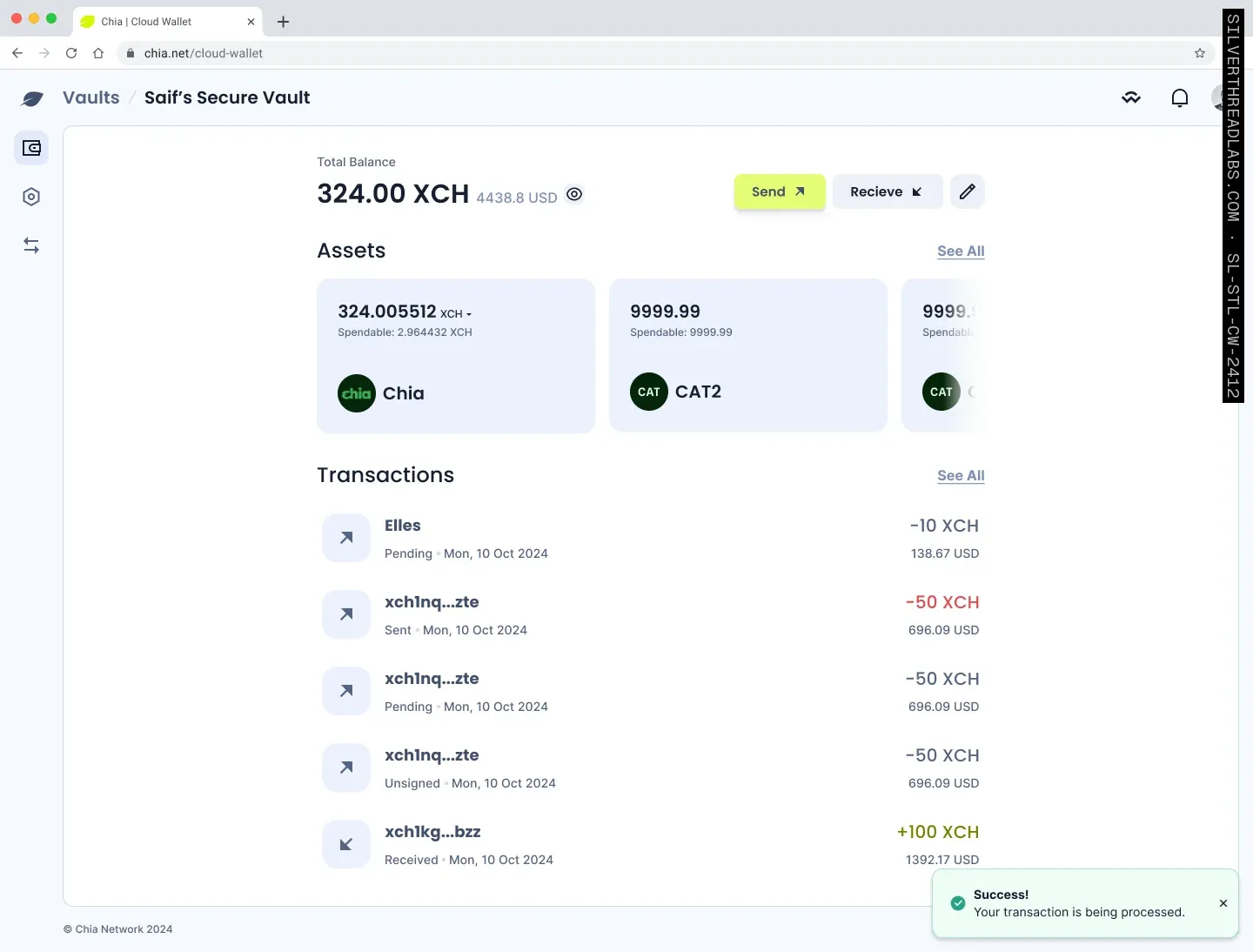
Saif settled the navigation and look of the whole product first, then took it one flow at a time: passkey sign-up and sign-in, creating a vault and waiting while it mints, the tokens and transactions held inside it, sending and receiving, offers and settings.
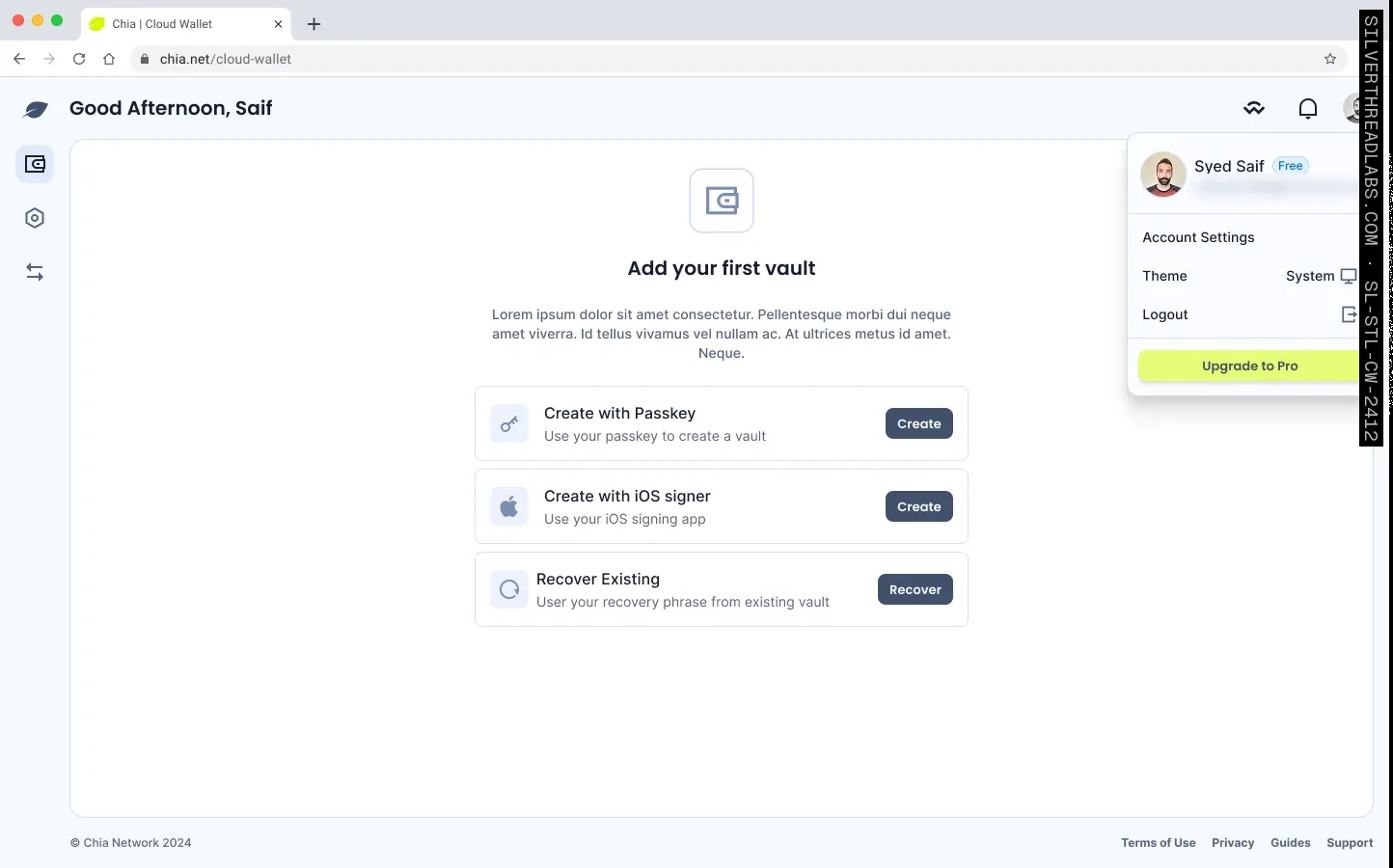
Recovery starts from whatever key the owner holds. A recovery phrase pasted into any of the 24 fields fills the rest, a passkey goes through the browser's prompt, and the signer app scans a QR code. The wallet identifies the key and opens that pairing's re-keying screens: a new custody key, an optional new recovery key, the timer for any later recovery, and a confirmation.
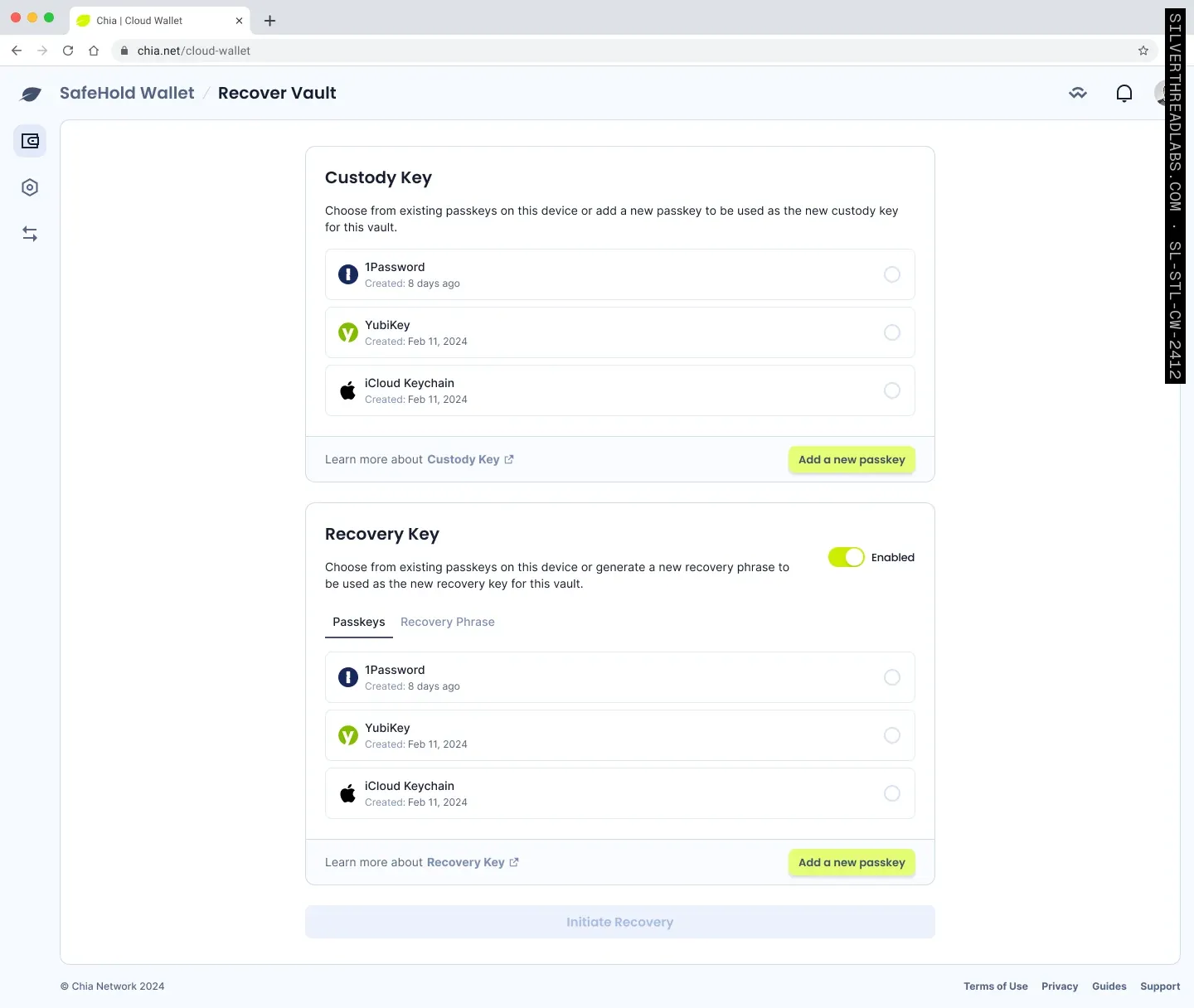
During a recovery, the vault shows the time left at the top and can still receive funds. A cancel needs the custody key, which a thief holding a stolen phrase would not have. The watchtower emails the owner when a recovery starts, while there's still time to stop it.
Saif based the whole design on design tokens in Figma variables: twelve-step colour scales below, and semantic tokens above, in Light and Dark modes, that pointed at steps rather than colours. When Chia moved its brand from green to yellow and blue, matching its new corporate site, it asked if two hundred screens could be changed in under two weeks. Saif repointed the semantic tokens at a lime yellow scale, #E5FE75, for the primary and a blue one for the base, and the whole Figma file changed over in about two hours. A dark theme Chia asked for later began from the tokens' dark mode, and Saif laid out every screen again for phones.
The outcome#
Saif designed each screen and flow of the Cloud Wallet, and Chia's own team built it. As they built, he wrote a Playwright suite to test the front end and back end, and our QA team helped with the automation.
Early users got the Cloud Wallet on 25 June 2025, with every vault held by the Chia Signer or a passkey and backed by a 24-word recovery phrase. It opened to everyone on 29 October 2025. From that release, holding your own keys on Chia took a browser and a passkey, with nothing to install or sync.


